3 steps. No mapping. Full control.

Generate Custom Invoices in 3 Simple Steps

The only invoice generator that eliminates column mapping complexity. Upload your spreadsheet, select columns, and get professional invoices instantly. No hassle, no confusion.

3-Step
Process
2,500+
Businesses
14-Day
Free Trial
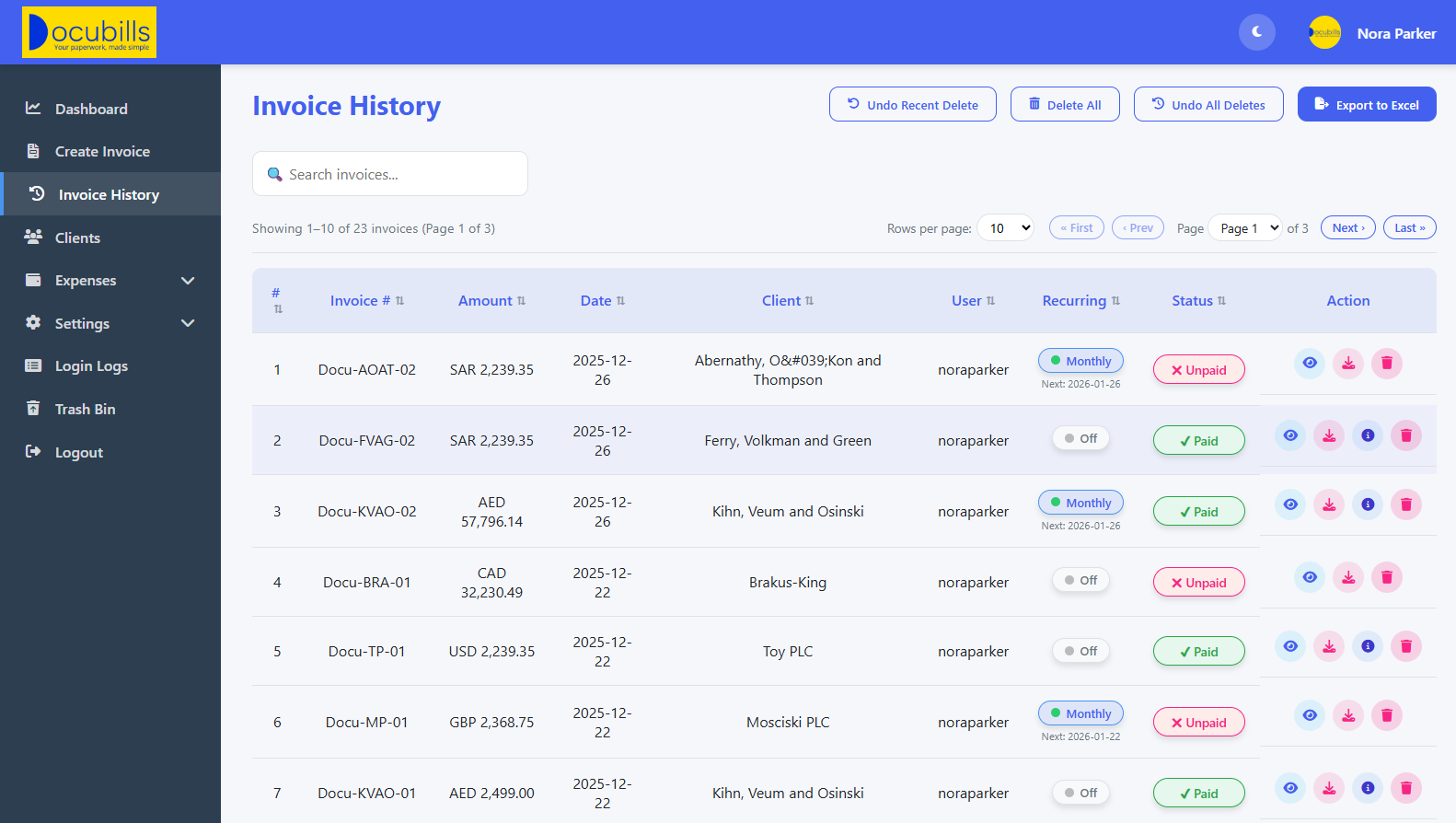
Invoice Dashboard Preview

Automated Follow-ups

Set custom reminders

Upload & Generate

Excel or Google Sheets

Everything You Need for Effortless Invoicing

DocuBills combines simplicity with powerful features to streamline your billing process from start to finish

Smart Upload & Generate

Upload Excel or Google Sheets via URL. Our smart system automatically detects columns and calculates invoice totals without any complex mapping.

  • No complex column mapping
  • Auto column detection
  • Support for multiple formats

Select & Deselect

Easily include or exclude columns and rows from your final invoice. Perfect for removing accidental entries or sensitive data.

  • Column/row selection
  • Real-time preview
  • Data cleanup tools

Recurring & Customizable

Set up recurring invoices, add banking info, select currency symbols, and customize every detail directly from the preview page.

  • Recurring invoice scheduling
  • Multi-currency support
  • Banking details integration

Automated Follow-ups

Set custom cadences for invoice reminders and write email content right in the app. Never chase clients manually again.

  • Custom reminder schedules
  • Email template editor
  • CC/BCC controls

Centralized Management

Manage all invoices in one dashboard. Update statuses with one click and automatically notify relevant parties.

  • Unified invoice dashboard
  • One-click status updates
  • Automated notifications

Admin Control Center

Granular control over every feature with role options and individual permission matrices for complete oversight.

  • Role-based access control
  • Permission matrix
  • Audit logs

How It Works: Invoice Generation in 3 Steps

Our streamlined process saves you hours of manual work every month

1

Upload Your Data

Upload Excel or connect Google Sheets via URL. No need to manually map columns or reformat your data.

2

Customize & Preview

Select columns to include, add branding, set currency, and preview the invoice exactly as it will appear.

3

Send & Manage

Send invoices directly to clients, set up automated reminders, and track payments all in one place.

Try DocuBills in 3 Steps

Click each step to preview exactly what happens in the real workflow.

Bill To Information


Invoice Data Source


Make sure the Google Sheet is set to "Anyone with the link can view"

Demo mode: no login, no database, no server calls — buttons are for preview only.

Pricing Method

Select which column contains item prices:

You'll enter the total amount on the next screen

Columns to Include (max 15)

Demo mode: preview-only — no session, no redirect, no database.
Bill To:
Invoice Title Bar Color (PDF Heading)
INVOICE
Columns to include:
Total Amount:
0.00
Recurring Invoice: Send this same amount to the same client every month on this invoice date.

These fields are pre-filled from Settings → Payment Methods. You can adjust them for this invoice only.

Start Generating Professional Invoices Today

Join thousands of businesses that have streamlined their billing process with DocuBills. No credit card required for the free trial.

14-day free trial
No credit card required
Cancel anytime